 2210b2037e
Add a new option to choose the original Solarized's cursor style.

So, by default now the cursor is white on blue in dark themes and white
on orange/red (depending on visibility) in light themes no matter which
variant is used.

If you prefer a grey cursor, as in the original Solarized, put this in
your `vimrc`:

    let g:solarized_old_cursor_style = 1
Solarized 8: True Colors
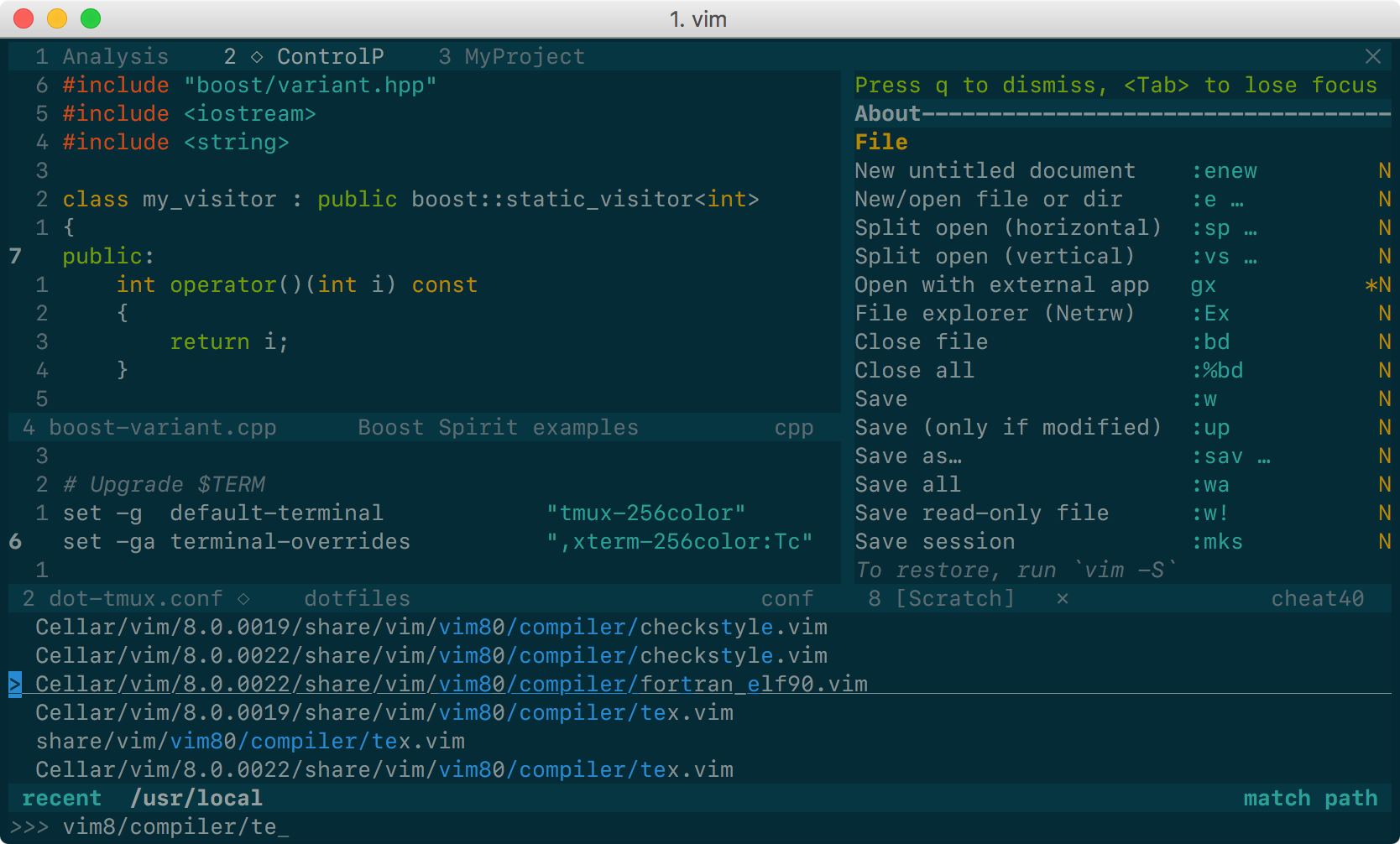
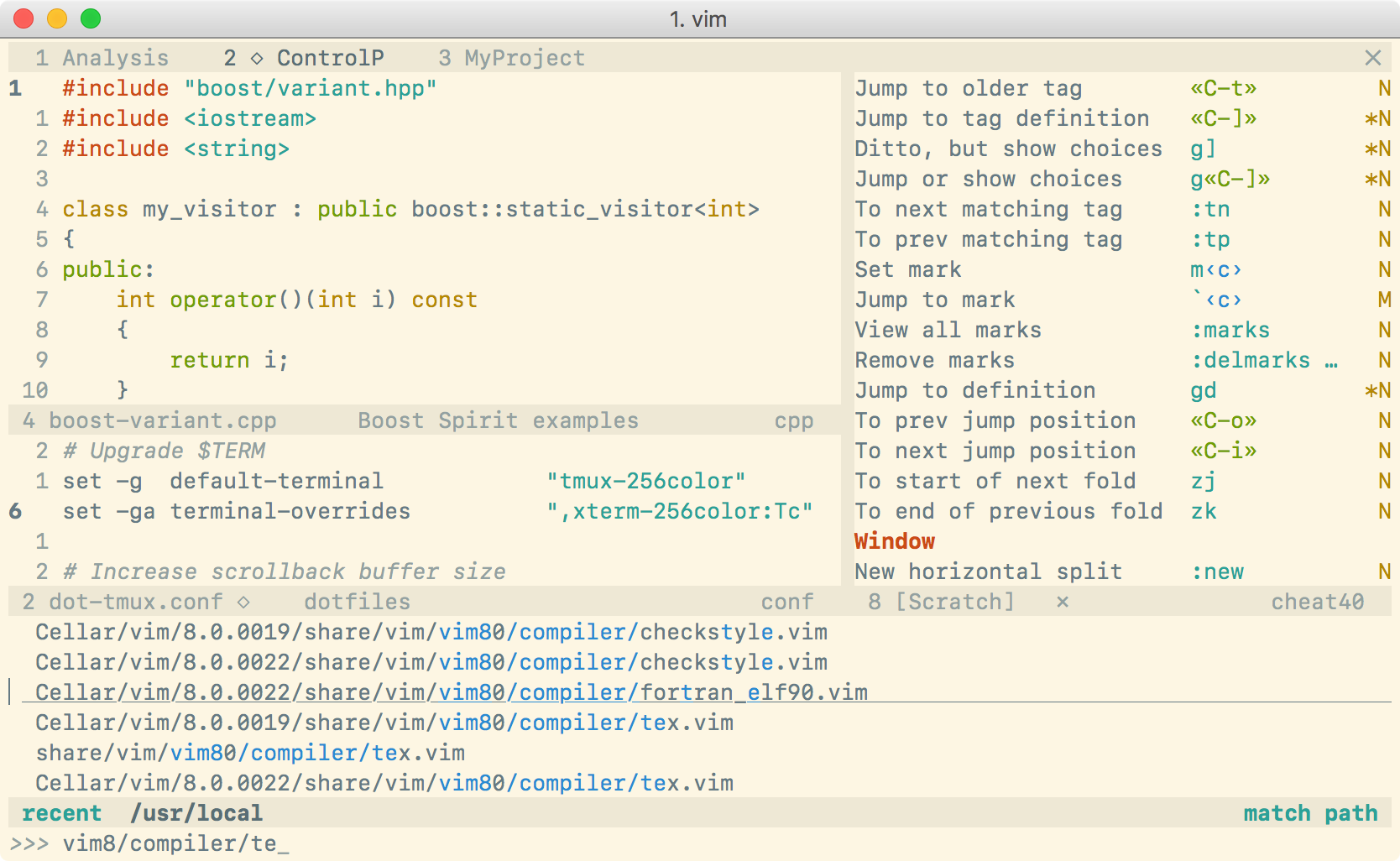
This is yet another Solarized theme for Vim. It places itself half way between the original Solarized and the Flattened variant. It removes only some of the bullshit. The color palette is exactly the same as in Solarized, of course, although some highlight groups are defined slightly differently (for instance, I have tried to avoid red on blue).
The main reason for the existence of this project is that the original Solarized
theme does not define guifg and guibg in terminal Vim, making it unsuitable
for versions of Vim supporting true-color terminals. Instead, this color scheme
works out of the box if you use:
- Vim ≥7.4.1799 with
termguicolorsset, or - NeoVim,
and a true-color enabled terminal (e.g., iTerm2). Solarized 8 also works in MacVim, gVim, etc…: no configuration is needed.
For terminals not supporting true colors, your 16 terminal ASCII colors must be set to the Solarized palette. The ugly degraded 256-color variant of the original Solarized has been removed from Solarized 8.
In NeoVim, Solarized 8 also defines the color palette for the terminal
emulator, as well as
colors for the TermCursor and TermCursorNC highlight groups.
Installation
If your Vim supports packages (echo has('packages') prints 1), I strongly
recommend that you use them. Just clone this repo inside pack/*/opt, e.g.:
git clone https://github.com/lifepillar/vim-solarized8.git \
 ~/.vim/pack/themes/opt/solarized8
Otherwise, use your favourite installation method.
There are actually 8 optimized color schemes:
solarized8_darkandsolarized8_light: the default Solarized theme;solarized8_dark_lowandsolarized8_light_low: low-contrast variant;solarized8_dark_highandsolarized8_light_high: high-contrast variant;solarized8_dark_flatandsolarized8_light_flat: “flat” variant (not present in the original Solarized, see screenshots above).
To use any of them, put a line like the following in your .vimrc:
colorscheme solarized8_dark
Note: if you use Vim packages, there is no need to packadd solarized8.
Keep your runtimepath clean!
Options
The following options are inherited from Solarized:
g:solarized_visibility: one of"normal"(default),"low","high";g:solarized_diffmode: one of"normal"(default),"low","high","bold";g:solarized_termtrans: make terminal background transparent if set to1(default:0).
The following options were not available in the original Solarized:
g:solarized_statusline: one of"normal"(default) or"low";g:solarized_term_italics: set to1if your terminal supports italics (default is0).g:solarized_old_cursor_style: set to1if you want to use the original Solarized's cursor style (default:0). By default, the cursor is orange/red in light themes, and blue in dark themes.
The options above may be used with any solarized8_* variant.
Troubleshooting
Hey, I do not get the right colors when running Vim inside tmux or in my favourite true-color enabled terminal!
Try putting this in your .vimrc:
let &t_8f = "\<Esc>[38;2;%lu;%lu;%lum"
let &t_8b = "\<Esc>[48;2;%lu;%lu;%lum"
See :h xterm-true-color for the details.
Tips
If you want to quickly toggle between dark and light background, you may define a mapping like the following:
nnoremap  <leader>B :<c-u>exe "colors" (g:colors_name =~# "dark"
    \ ? substitute(g:colors_name, 'dark', 'light', '')
    \ : substitute(g:colors_name, 'light', 'dark', '')
    \ )<cr>
To tune the contrast level you may use the following snippet:
fun! Solarized8Contrast(delta)
  let l:schemes = map(["_low", "_flat", "", "_high"], '"solarized8_".(&background).v:val')
  exe "colors" l:schemes[((a:delta+index(l:schemes, g:colors_name)) % 4 + 4) % 4]
endf

nmap <leader>- :<c-u>call Solarized8Contrast(-v:count1)<cr>
nmap <leader>+ :<c-u>call Solarized8Contrast(+v:count1)<cr>
If you want to tweak the colors yourself, edit src/solarized8.vim, then :source
it to recreate the color schemes.