mirror of
https://github.com/lifepillar/vim-solarized8.git
synced 2025-12-10 07:46:58 +00:00

136 lines
5.3 KiB
Markdown
136 lines
5.3 KiB
Markdown
**NOTE: version 1.0.0 has backward incompatible changes. Please review this Readme!**
|
|
|
|
# Solarized 8: True Colors
|
|
|
|
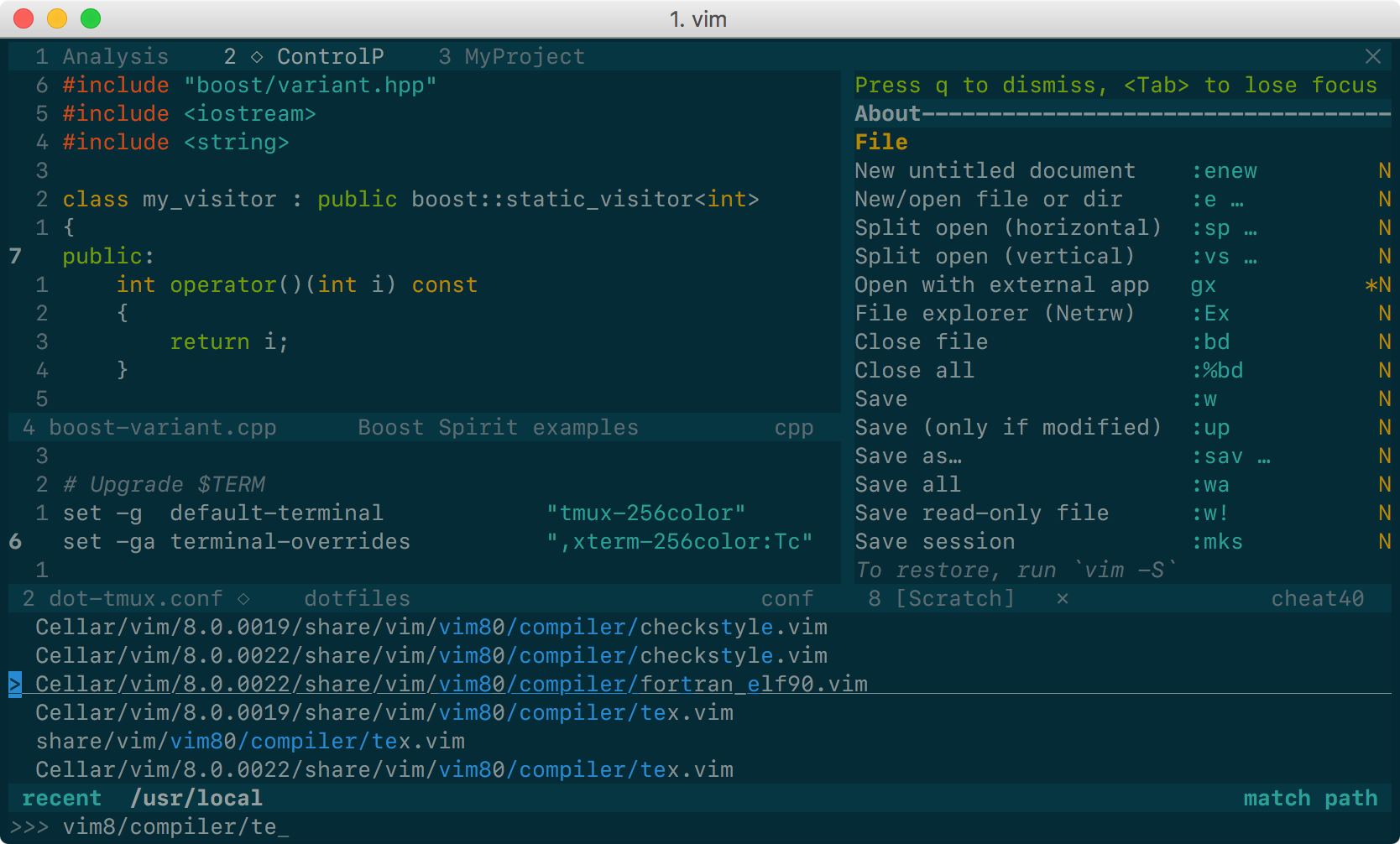
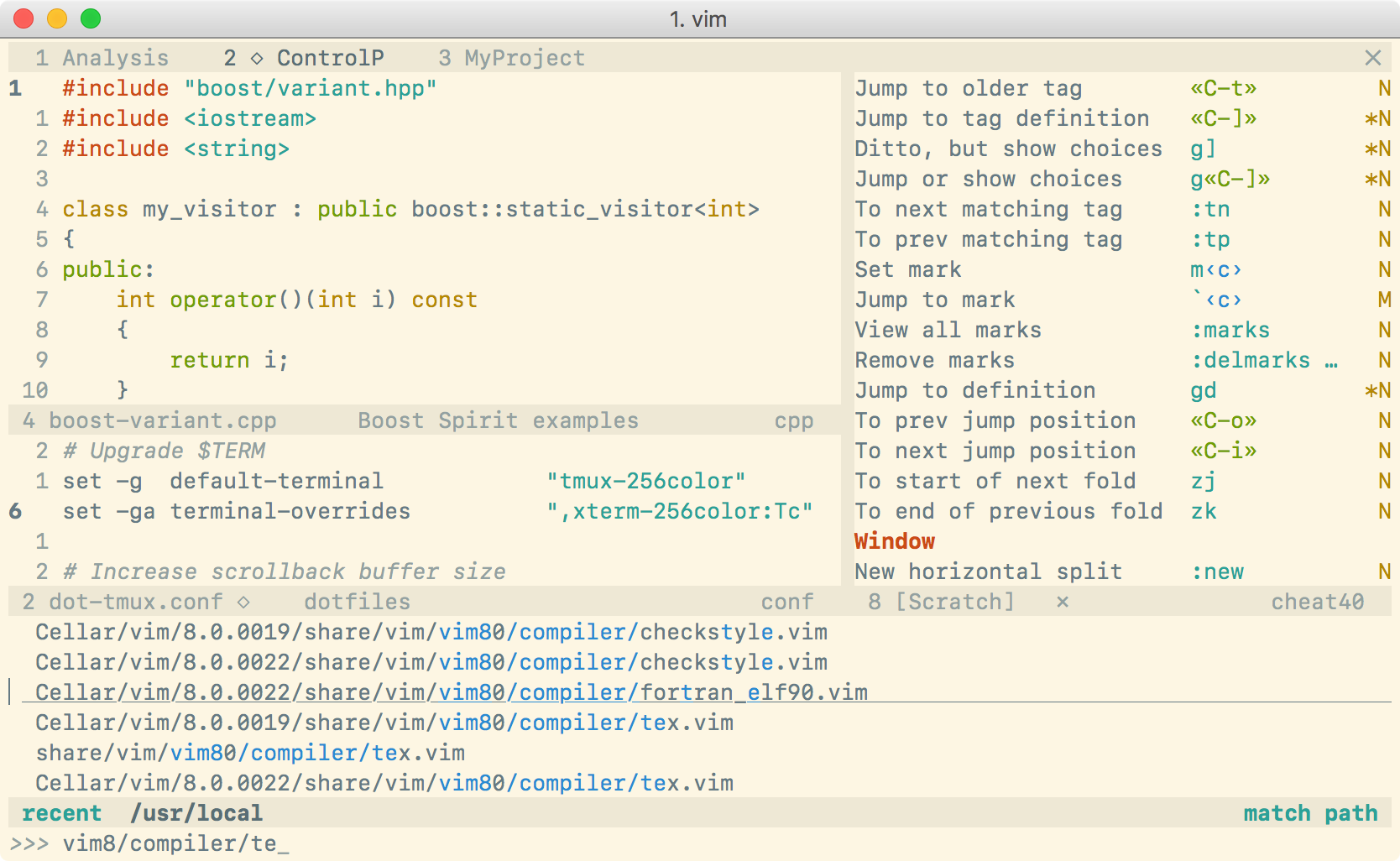
Solarized 8 Flat Dark | Solarized 8 Flat Light
|
|
:-------------------------:|:-------------------------:
|
|
 | 
|
|
|
|
This is yet another Solarized theme for Vim. It places itself half way between
|
|
the original [Solarized](https://github.com/altercation/vim-colors-solarized)
|
|
and the [Flattened](https://github.com/romainl/flattened) variant. It
|
|
removes only *some* of the bullshit. The color palette is exactly the same as
|
|
in Solarized, of course, although some highlight groups are defined slightly
|
|
differently (for instance, I have tried to avoid red on blue).
|
|
|
|
The main reason for the existence of this project is that the original Solarized
|
|
theme does not define `guifg` and `guibg` in terminal Vim, making it unsuitable
|
|
for versions of Vim supporting true-color terminals. Instead, this color scheme
|
|
works **out of the box everywhere**. For the best experience, you need:
|
|
|
|
- Vim ≥7.4.1799 with `termguicolors` set, or
|
|
- NeoVim,
|
|
|
|
**and** a true-color enabled terminal. Solarized 8 also works in MacVim, gVim,
|
|
etc…: no configuration is needed.
|
|
|
|
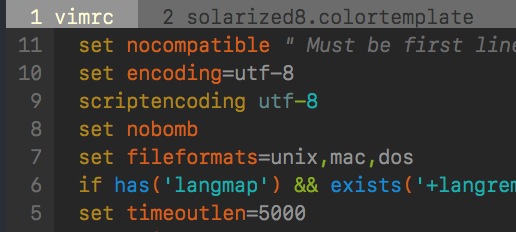
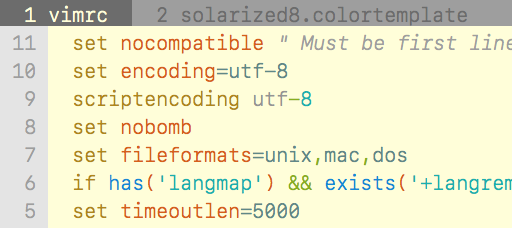
**Note:** for terminals not supporting true colors, Solarized 8 will fall back
|
|
to use an approximate palette based on xterm's 256 colors. This is a very crude
|
|
approximation, which looks more or less like this:
|
|
|
|
Dark 256 color palette | Light 256 color palette
|
|
:-------------------------:|:-------------------------:
|
|
 | 
|
|
|
|
To get exact colors with such terminals, you must set your terminal's 16 ANSI
|
|
colors to the Solarized palette (refer to the manual of your terminal) and put
|
|
this line in your `vimrc` before loading the colorscheme:
|
|
|
|
```vim
|
|
let g:solarized_use16 = 1
|
|
```
|
|
|
|
Be aware that, if you set the variable above, but your terminal does not use the
|
|
Solarized palette, your colors will be completely off.
|
|
|
|
|
|
## Installation
|
|
|
|
If your Vim supports packages (`echo has('packages')` prints `1`), I strongly
|
|
recommend that you use them. Just clone this repo inside `pack/*/opt`, e.g.:
|
|
|
|
git clone https://github.com/lifepillar/vim-solarized8.git ~/.vim/pack/themes/opt/solarized8
|
|
|
|
Otherwise, use your favourite installation method.
|
|
|
|
There are actually four optimized<sup>*</sup> color schemes:
|
|
|
|
- `solarized8`: the default Solarized theme;
|
|
- `solarized8_low`: low-contrast variant;
|
|
- `solarized8_high`: high-contrast variant;
|
|
- `solarized8_flat`: “flat” variant (not present in the original Solarized, see
|
|
screenshots above).
|
|
|
|
To use any of them, set the background (`dark` or `light`) then load the
|
|
colorscheme, e.g.:
|
|
|
|
set background=dark
|
|
colorscheme solarized8
|
|
|
|
To switch the background from dark to light or vice versa, just set `background`
|
|
accordingly.
|
|
|
|
If you use Vim packages, there is no need to `packadd solarized8`. Keep your
|
|
`runtimepath` clean!
|
|
|
|
<sup>*</sup> On my machine, the original Solarized loads in ~3.5ms, while the
|
|
command above takes ~1.6ms. Even with extra highlight groups on (see options
|
|
below), Solarized 8 loads in about ~2.0ms. The loading time depends on the
|
|
background and on the terminal palette, but it should never be more than 3ms on
|
|
average (light background, 16 colors).
|
|
|
|
|
|
## Options
|
|
|
|
The following options are inherited from Solarized:
|
|
|
|
- `g:solarized_visibility`: one of `"normal"` (default), `"low"`, `"high"`;
|
|
- `g:solarized_diffmode`: one of `"normal"` (default), `"low"`, `"high"`,
|
|
`"bold"`;
|
|
- `g:solarized_termtrans`: make terminal background transparent if set to `1`
|
|
(default: `0`).
|
|
|
|
The following options were not available in the original Solarized:
|
|
|
|
- `g:solarized_statusline`: one of `"normal"` (default) or `"low"`;
|
|
- `g:solarized_term_italics`: set to `0` to disable italics in the terminal
|
|
(default is `1`).
|
|
- `g:solarized_old_cursor_style`: set to `1` if you want to use the original
|
|
Solarized's cursor style (default: `0`). By default, the cursor is orange/red
|
|
in light themes, and blue in dark themes (but please note that your terminal
|
|
may override the cursor's color).
|
|
- `g:solarized_extra_hi_groups`: set to `1` to enable Solarized
|
|
filetype-specific syntax highlighting groups (default is `0`). Please be aware
|
|
that there is [a long standing
|
|
issue](https://github.com/altercation/solarized/issues/102) with extra
|
|
highlight groups.
|
|
- `g:solarized_use16`: see above.
|
|
|
|
All these options may be used with any Solarized 8 variant.
|
|
|
|
|
|
## Troubleshooting
|
|
|
|
**Hey, I do not get the right colors when running Vim inside tmux or in my
|
|
favourite true-color enabled terminal!**
|
|
|
|
Try putting this in your `.vimrc`:
|
|
|
|
```viml
|
|
let &t_8f = "\<Esc>[38;2;%lu;%lu;%lum"
|
|
let &t_8b = "\<Esc>[48;2;%lu;%lu;%lum"
|
|
```
|
|
|
|
See `:h xterm-true-color` for the details.
|
|
|
|
|
|
## Hacking
|
|
|
|
Do you want to hack the theme? Install
|
|
[Colortemplate](https://github.com/lifepillar/vim-colortemplate), edit the
|
|
`*.colortemplate` files, then rebuild the colorschemes by sourcing the script in
|
|
the `templates` folder.
|
|
|
|
If you extend or improve Solarized 8, please consider submitting a pull request!
|
|
|