mirror of
https://github.com/lifepillar/vim-solarized8.git
synced 2025-12-10 07:46:58 +00:00

190 lines
7.8 KiB
Markdown
190 lines
7.8 KiB
Markdown
# Solarized 8: True Colors
|
||
|
||
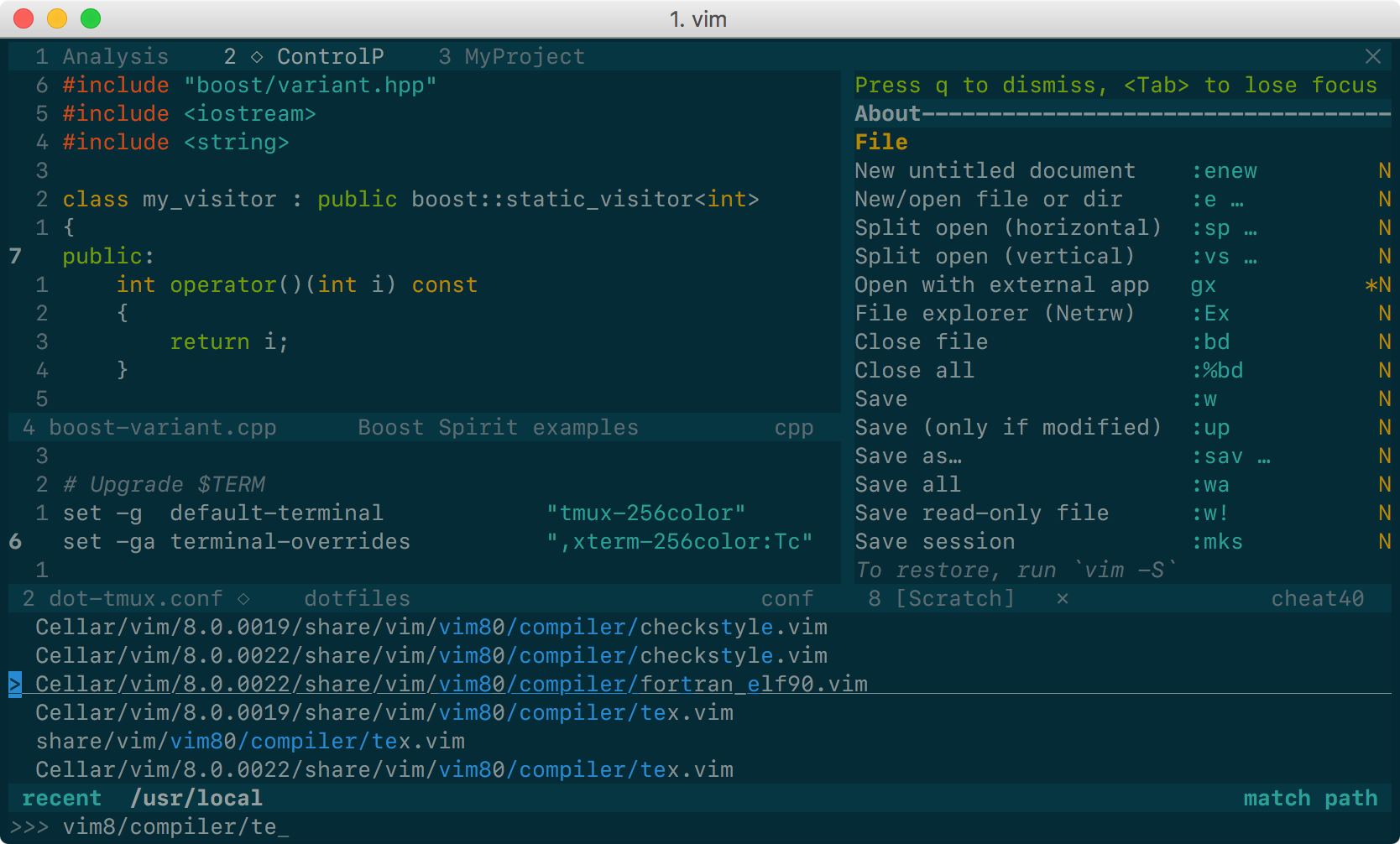
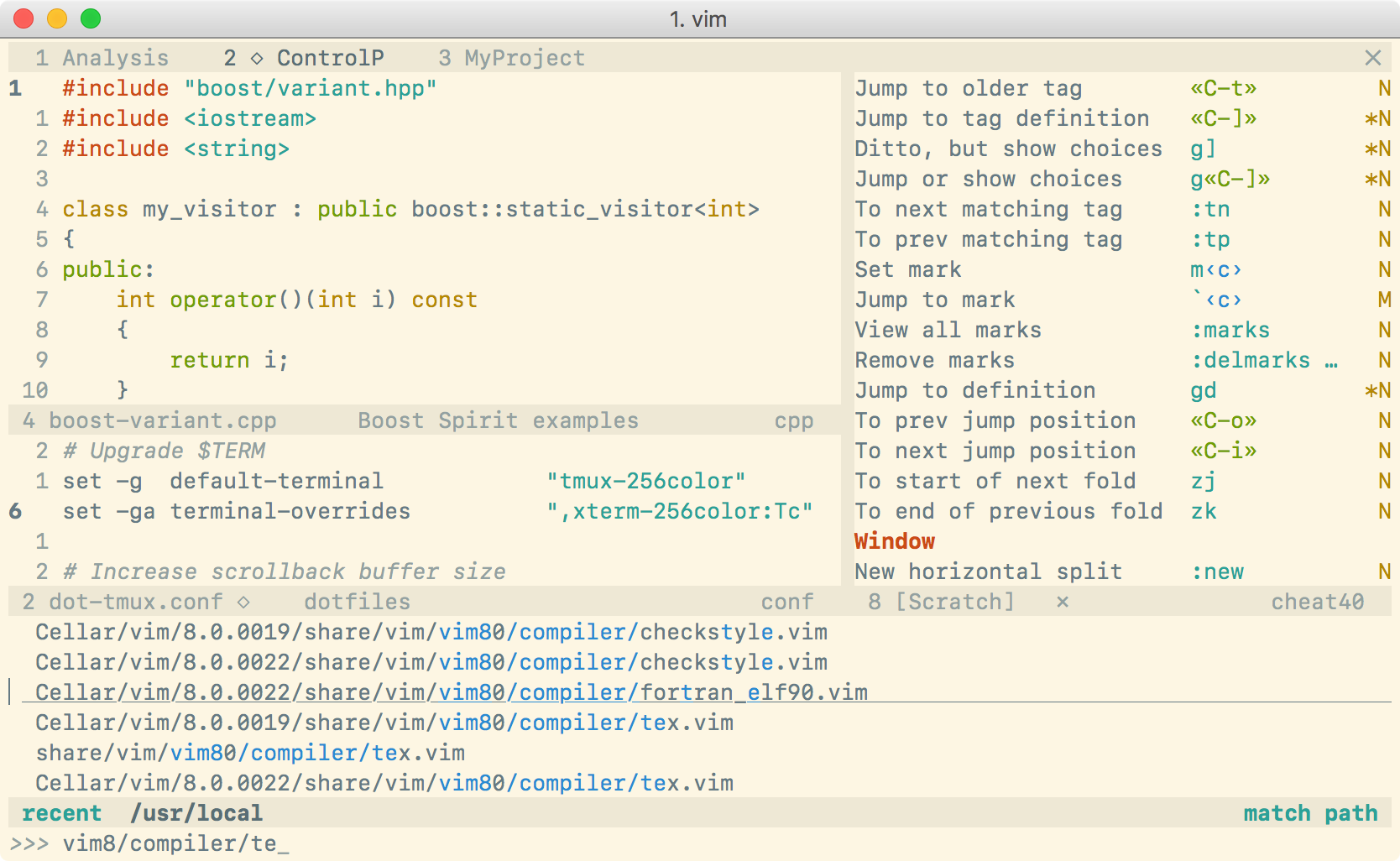
Solarized 8 Flat Dark | Solarized 8 Flat Light
|
||
:-------------------------:|:-------------------------:
|
||
 | 
|
||
|
||
This is yet another Solarized theme for Vim. It places itself half way between
|
||
the original [Solarized](https://github.com/altercation/vim-colors-solarized)
|
||
and the [Flattened](https://github.com/romainl/flattened) variant. It
|
||
removes only *some* of the bullshit. The color palette is exactly the same as
|
||
in Solarized, although some highlight groups are defined slightly
|
||
differently (for instance, I have tried to avoid red on blue).
|
||
|
||
The main reason for the existence of this project is that the original Solarized
|
||
theme does not define `guifg` and `guibg` in terminal Vim, making it unsuitable
|
||
for versions of Vim supporting true-color (i.e., 24-bit color) terminals.
|
||
Instead, this color scheme works **out of the box everywhere**. For the best
|
||
experience, you need:
|
||
|
||
- Vim ≥7.4.1799, or NeoVim, with `termguicolors` set, **and**
|
||
- a terminal supporting millions of colors (but see below for workarounds).
|
||
|
||
Solarized 8 also works in any GUI version of Vim: no configuration is
|
||
necessary.<sup>*</sup> See below for installation instructions.
|
||
|
||
<sup>*</sup> [VimR](https://github.com/qvacua/vimr) users must set
|
||
`termguicolors` before loading the color scheme.
|
||
|
||
|
||
## But, my terminal has only 256 colors!
|
||
|
||
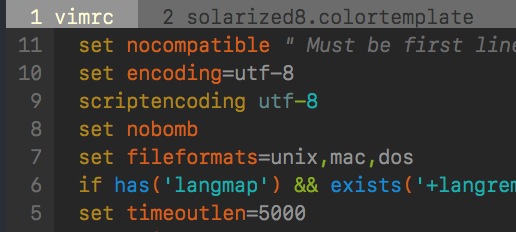
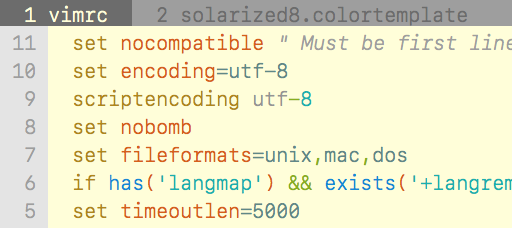
For terminals not supporting true colors, Solarized 8 will fall back to use an
|
||
approximate palette based on xterm's 256 colors, which looks more or less like
|
||
this:
|
||
|
||
Dark 256 color palette | Light 256 color palette
|
||
:-------------------------:|:-------------------------:
|
||
 | 
|
||
|
||
(Yeah, it looks like a different color scheme: Solarized palette is far away
|
||
from xterm colors!)
|
||
|
||
If you do not like this approximation, to get exact colors with such terminals
|
||
you have two possibilities:
|
||
|
||
1. Modify some of your terminal colors in the range 16–255 to match Solarized
|
||
palette. For this purpose, you may run (*not* source!)
|
||
`scripts/solarized8.sh`; no setting is needed in Vim. For instance, if you
|
||
are using Bash, put this in `.bashrc`:
|
||
|
||
```sh
|
||
sh /path/to/scripts/solarized.sh
|
||
```
|
||
|
||
**Note:** this method is supported only by some, but not all, terminals. For
|
||
instance, in Apple's Terminal.app, running `solarized.sh` has no effect.
|
||
|
||
2. Set your terminal's 16 ANSI colors (the colors in the range 0–15) to the
|
||
Solarized palette (how to do that depends on the terminal) *and* `set
|
||
t_Co=16` in Vim (or `let g:solarized_use16=1`) to instruct Vim to use your
|
||
terminal's colors. Be aware that, if you force the use of your terminal
|
||
colors in Vim with any of these settings, but your terminal is not
|
||
configured to use the Solarized palette, your colors will be completely off!
|
||
|
||
**Note:** whatever method you choose, keep in mind that if your terminal does
|
||
not support millions of colors, you must *not* set `termguicolors` (i.e., make
|
||
sure that `set termguicolors?` outputs `notermguicolors`).
|
||
|
||
|
||
## What if I happen to work on vt100 or similar?
|
||
|
||
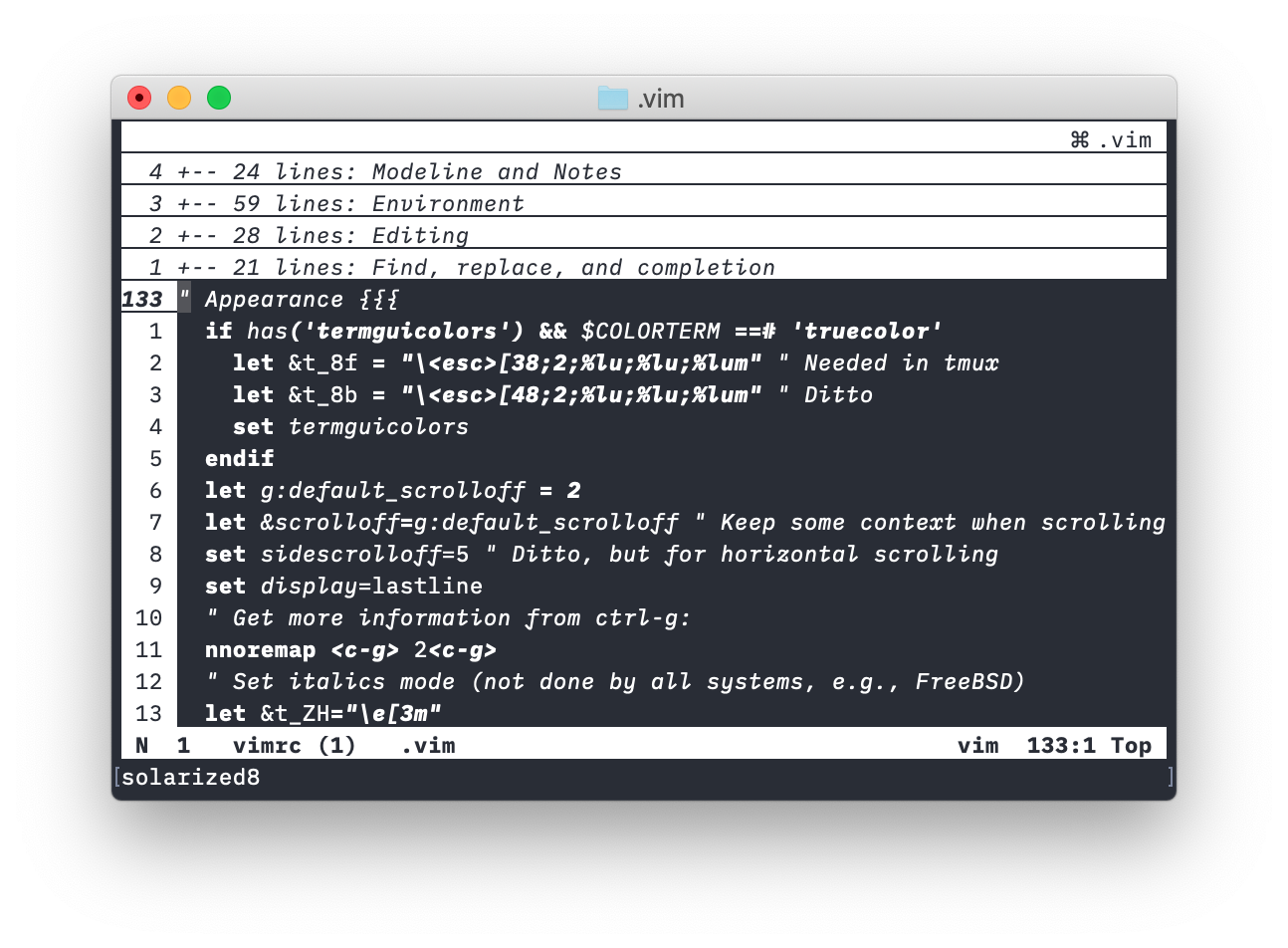
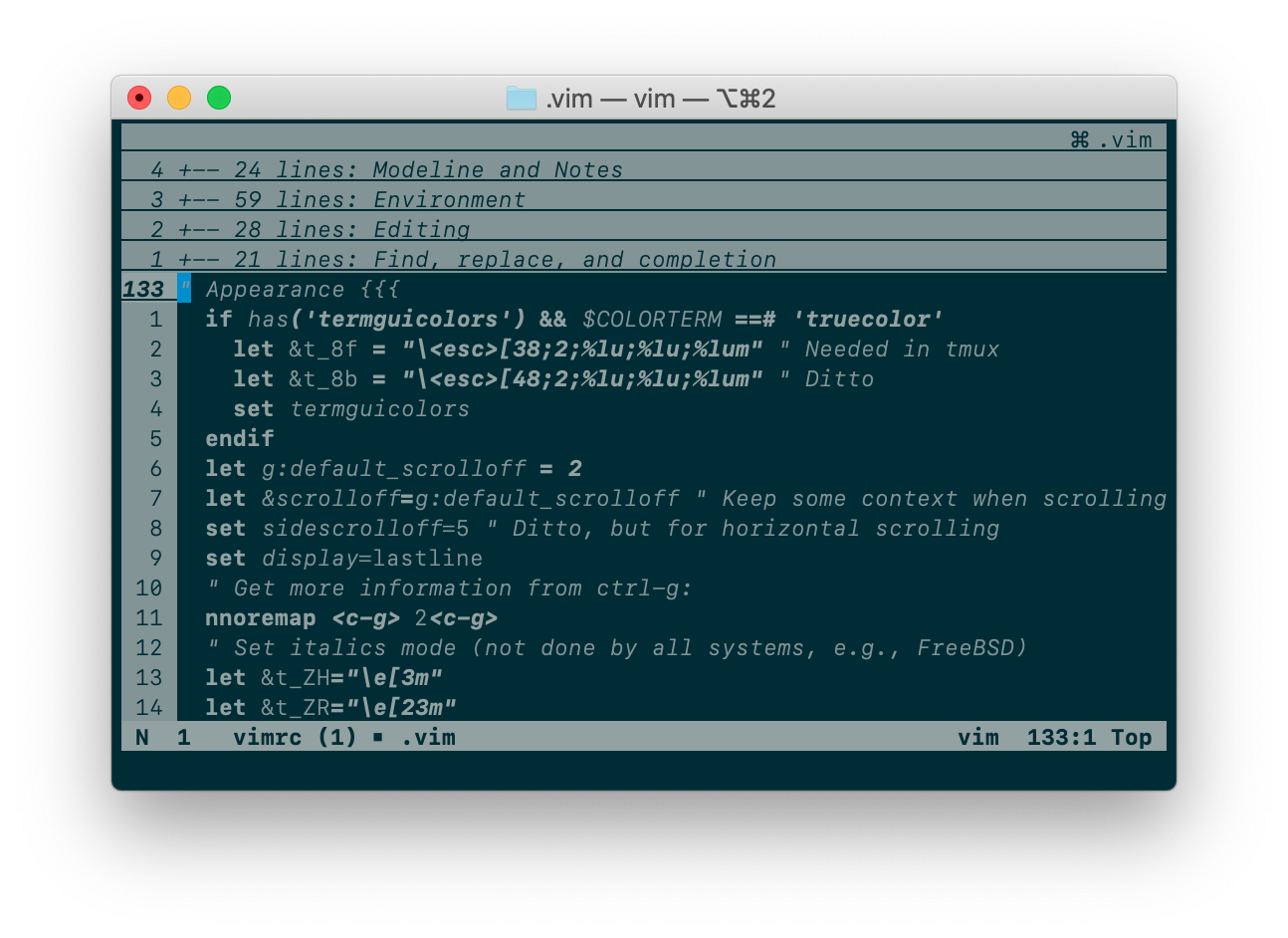
In the past, Solarized 8 used to complain when your terminal did not support
|
||
enough colors. But the current version will gracefully degrade to a (beautiful!)
|
||
black&white color scheme:
|
||
|
||
Solarized 8 B&W variant | Solarized 8 B&W variant
|
||
:-------------------------:|:-------------------------:
|
||
 | 
|
||
|
||
|
||
## Installation
|
||
|
||
If your Vim supports packages (`echo has('packages')` prints `1`), I strongly
|
||
recommend that you use them. Just clone this repo inside `pack/*/opt`, e.g.:
|
||
|
||
git clone https://github.com/lifepillar/vim-solarized8.git \
|
||
~/.vim/pack/themes/opt/solarized8
|
||
|
||
Otherwise, use you favourite installation method.
|
||
|
||
There are actually four optimized<sup>*</sup> color schemes you may load:
|
||
|
||
- `solarized8_high`: high-contrast variant (screenshow below, first column);
|
||
- `solarized8`: the default Solarized theme (screenshot below, second column);
|
||
- `solarized8_low`: low-contrast variant (screenshow below, third column);
|
||
- `solarized8_flat`: “flat” variant (screenshow below, fourth column).
|
||
|
||

|
||
|
||
The “flat” variant does not exist in the original Solarized. It differs from
|
||
`solarized8` mainly in how the status line, split bars and tab bar look like:
|
||
|
||

|
||
|
||
To use a Solarized 8 color scheme, set the background (`dark` or `light`) then
|
||
load the variant you want, e.g.:
|
||
|
||
```vim
|
||
set background=dark
|
||
colorscheme solarized8
|
||
```
|
||
|
||
If you opt to use some Vim plugin manager instead, the following should be
|
||
added to your `vimrc`, rather than the above, for the color scheme to be loaded
|
||
correctly:
|
||
|
||
```vim
|
||
set background=dark
|
||
autocmd vimenter * ++nested colorscheme solarized8
|
||
```
|
||
|
||
To switch the background from dark to light or vice versa, just set `background`
|
||
accordingly.
|
||
|
||
If you use Vim packages, there is no need to `packadd solarized8`. Keep your
|
||
`runtimepath` clean!
|
||
|
||
<sup>*</sup> Below is the result of a benchmark I have made using Vim 8.1.1450
|
||
and iTerm 2 v3.2.6 on a MacBook Pro Early 2015 with macOS 10.14.5. To make the
|
||
comparison meaningful, `g:solarized_extra_hi_groups` was set to `1`: Solarized
|
||
8 should load a bit faster if you do not enable additional syntax items. Note
|
||
that Solarized 8 is optimized for what are believed to be the most common use
|
||
cases, i.e., GUI, true-color terminals and 256-color terminals.
|
||
|
||
<p align="center">
|
||
<img width="500" src="https://raw.github.com/lifepillar/Resources/master/solarized8/load_time.png">
|
||
</p>
|
||
|
||
|
||
## Options
|
||
|
||
The following options are inherited from Solarized:
|
||
|
||
- `g:solarized_visibility`: one of `"normal"` (default), `"low"`, `"high"`;
|
||
- `g:solarized_diffmode`: one of `"normal"` (default), `"low"`, `"high"`;
|
||
- `g:solarized_termtrans`: make terminal background transparent if set to `1`
|
||
(default: `0`).
|
||
|
||
The following options were not available in the original Solarized:
|
||
|
||
- `g:solarized_statusline`: one of `"normal"` (default), `"low"` or `"flat"`;
|
||
- `g:solarized_italics`: set to `0` to suppress italics (default is `1`).
|
||
- `g:solarized_old_cursor_style`: set to `1` if you want to use the original
|
||
Solarized's cursor style (default: `0`). By default, the cursor is orange/red
|
||
in light themes, and blue in dark themes (but please note that your terminal
|
||
may override the cursor's color).
|
||
- `g:solarized_use16`: set to `1` to force using your 16 ANSI terminal colors.
|
||
- `g:solarized_extra_hi_groups`: set to `1` to enable Solarized
|
||
filetype-specific syntax highlighting groups (default is `0`). Please be
|
||
aware that if your Vim is not recent enough you may encounter [an
|
||
issue](https://github.com/vim/vim/issues/4405) with syntax items defined in
|
||
color schemes.
|
||
|
||
All these options may be used with any Solarized 8 variant.
|
||
|
||
|
||
## Troubleshooting
|
||
|
||
**Hey, I do not get the right colors when running Vim inside tmux or in my
|
||
favourite true-color enabled terminal!**
|
||
|
||
Try putting this in your `.vimrc`:
|
||
|
||
```viml
|
||
let &t_8f = "\<Esc>[38;2;%lu;%lu;%lum"
|
||
let &t_8b = "\<Esc>[48;2;%lu;%lu;%lum"
|
||
```
|
||
|
||
See `:h xterm-true-color` for the details.
|
||
|
||
|
||
## Hacking
|
||
|
||
Do you want to hack the theme? Install
|
||
[Colortemplate](https://github.com/lifepillar/vim-colortemplate), edit the
|
||
`templates/*.colortemplate` files, then rebuild the color schemes.
|
||
|
||
If you extend or improve Solarized 8, please consider submitting a pull request!
|
||
|